Note: This article refers to the "Learningbank Login" integration. If you also want to sync users, units and roles from Ziik to Learningbank - check out Learningbank Sync & Login integration
About the integration
When the Learningbank "Login" integration is configured, all Ziik users with a matching email in the integrated Learningbank system will be able to access their Learningbank environment directly from Ziik. From the Ziik app, learningbank is opened in an embedded web view, creating a completely seamless user journey.
Easy authentication
Users with a matching email adress in Learningbank never have to manually authenticate when opening Learningbank from Ziik. All authentication is automatically handled and makes the integration between Ziik and Learningbank seamless. Automatic authentication works when pressing the Learningbank shortcut and when pressing a link inside Ziik to a Learningbank web-address.
Requirements in Ziik
Only administrators in Ziik can configure the Learningbank integration.
Requirements in Learningbank
You will need to have an active subscription and have access to the different Learningbank API credentials.
Configure the integration
1. Create API keys in Learningbank
Obtain username, password, and token from Learningbank by creating a new set of API keys in Learningbank.
2. Go to the integrations page in the Ziik admin panel.
Press create integration to get started and select Learningbank Login
3. Create Learningbank integration in Ziik
Fill in the obtained API credentials from step 1 when creating the Learningbank integration in Ziik.
Access Learningbank from Ziik
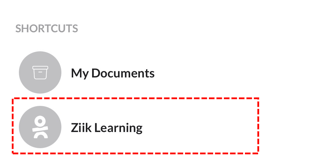
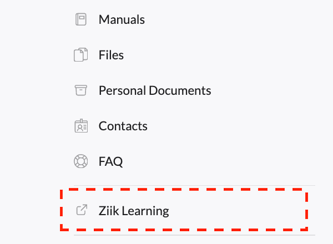
All Ziik users will find a shortcut to Learningbank in the Ziik menu. The name given to the integration during configuration will be shown on the button.
Note: All users will see the Learningbank shortcut when the integration is enabled. Only those with a matching email in Learningbank will be automatically logged in when clicking it.
On web it is shown in the left hand menu:
On the app it is listed under shortcuts in the bottom of the homescreen. On the app, the button will open Learningbank in a web view, embedded in the Ziik app. This creates a seamless experience for the user, allowing them to access and work on their learning modules without feeling like they are using separate systems.